
Choose or switch a business division
Use All Divisions to return to the division selection screen.
Select All Divisions above the division logo, then choose a division offered to your account.
Open Admin Portal (opens in a new tab)Jump to a step
Step-by-step guide
3 stepsBefore you start
- You are signed in to the Admin Portal.
- 1
Open All Divisions
In the left navigation, select All Divisions above the current division logo. This opens Select a Division.
Return to division selection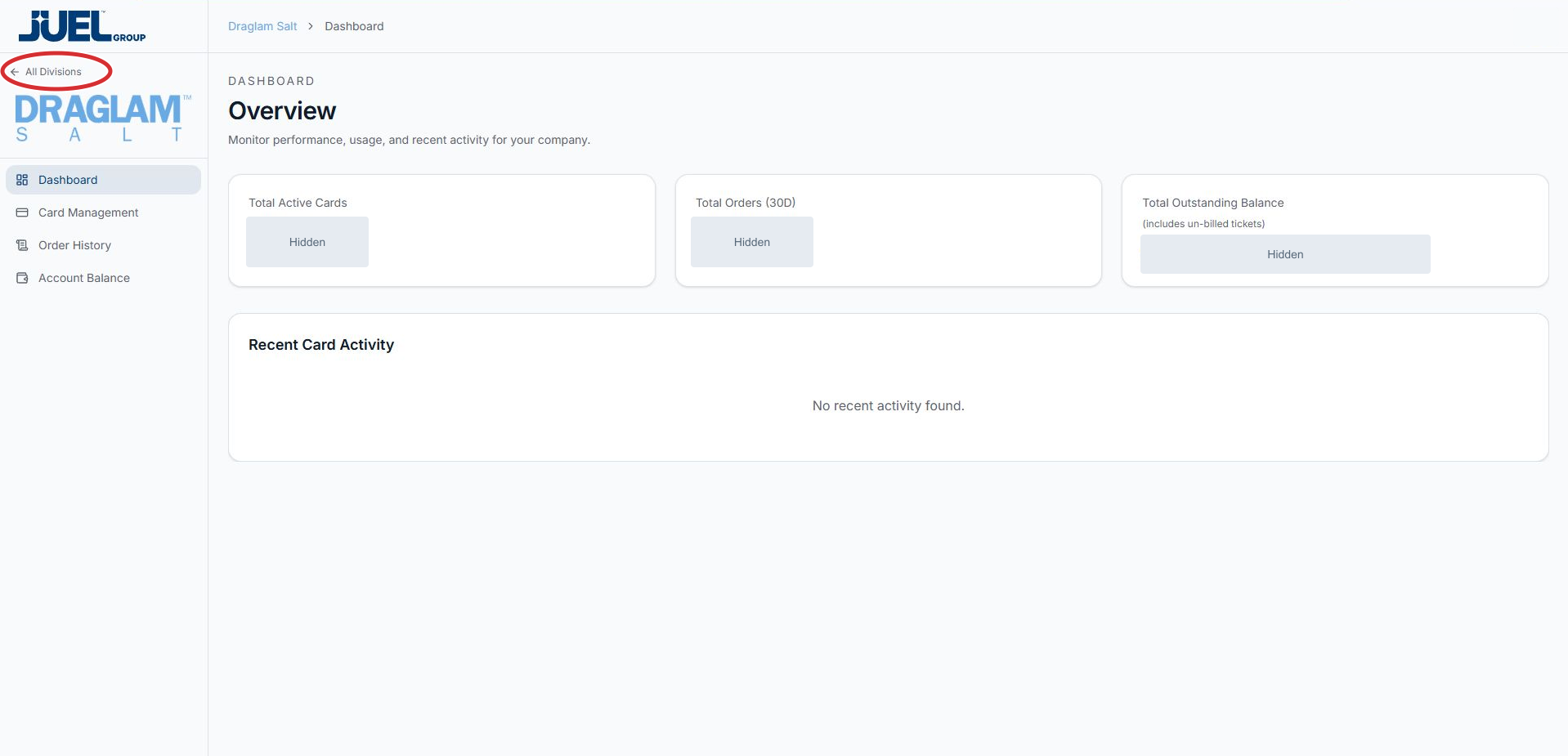
Select All Divisions to return to the selection screen.
Full app view · red circles show where to look. Select View larger, then Actual size to zoom in. - 2
Choose a division
Select the tile for the business you want to work with. The screen shows the divisions available to your account; Draglam Salt is the example in this guide.
Choose a division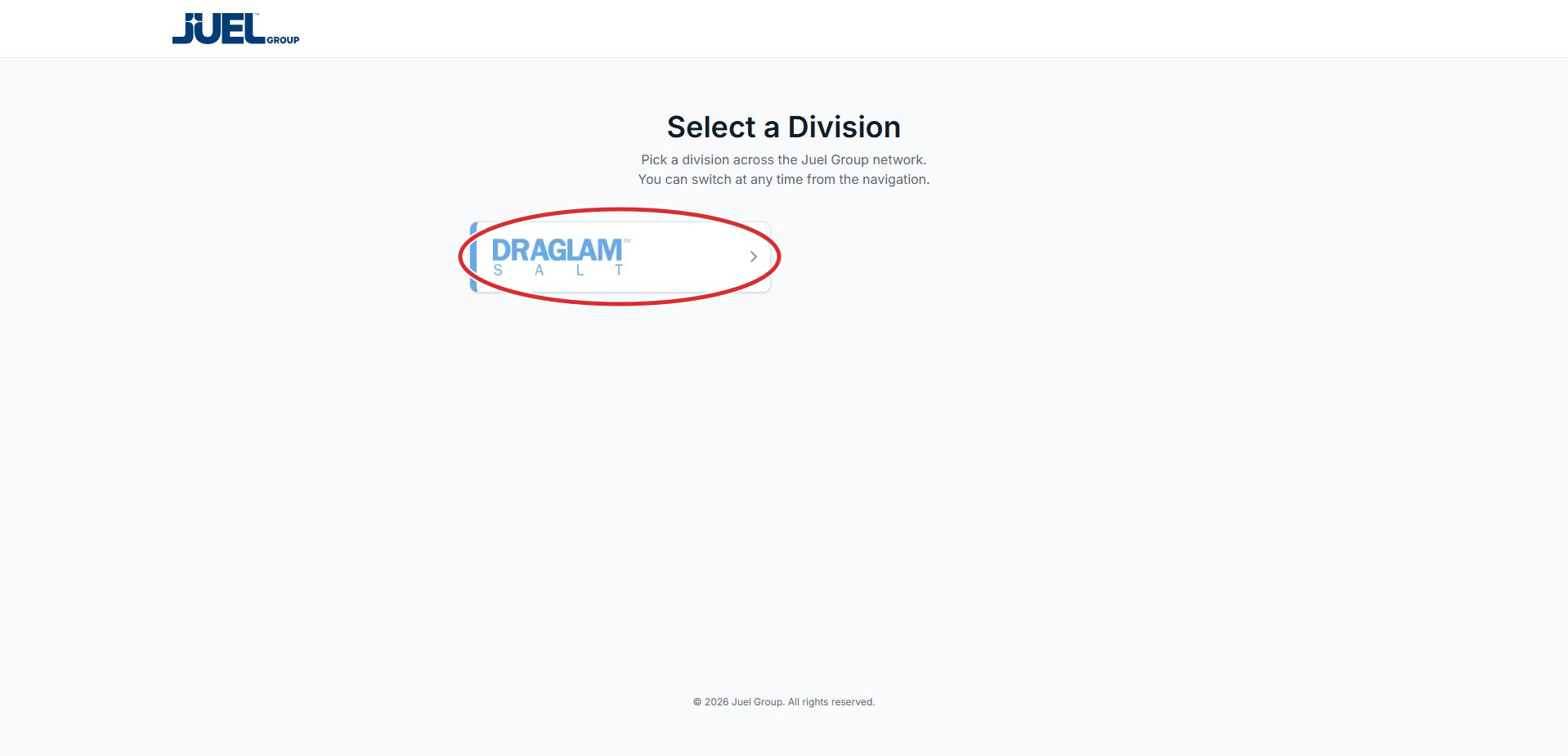
Select the tile for your division. Draglam Salt is the example available to the reviewed account.
Full app view · red circles show where to look. Select View larger, then Actual size to zoom in. - 3
Check the division name
Read the division name in the breadcrumb at the top of the dashboard. Confirm it is the business you intended before opening its cards, orders or balance. If it is incorrect, use All Divisions to choose again.
Check the division name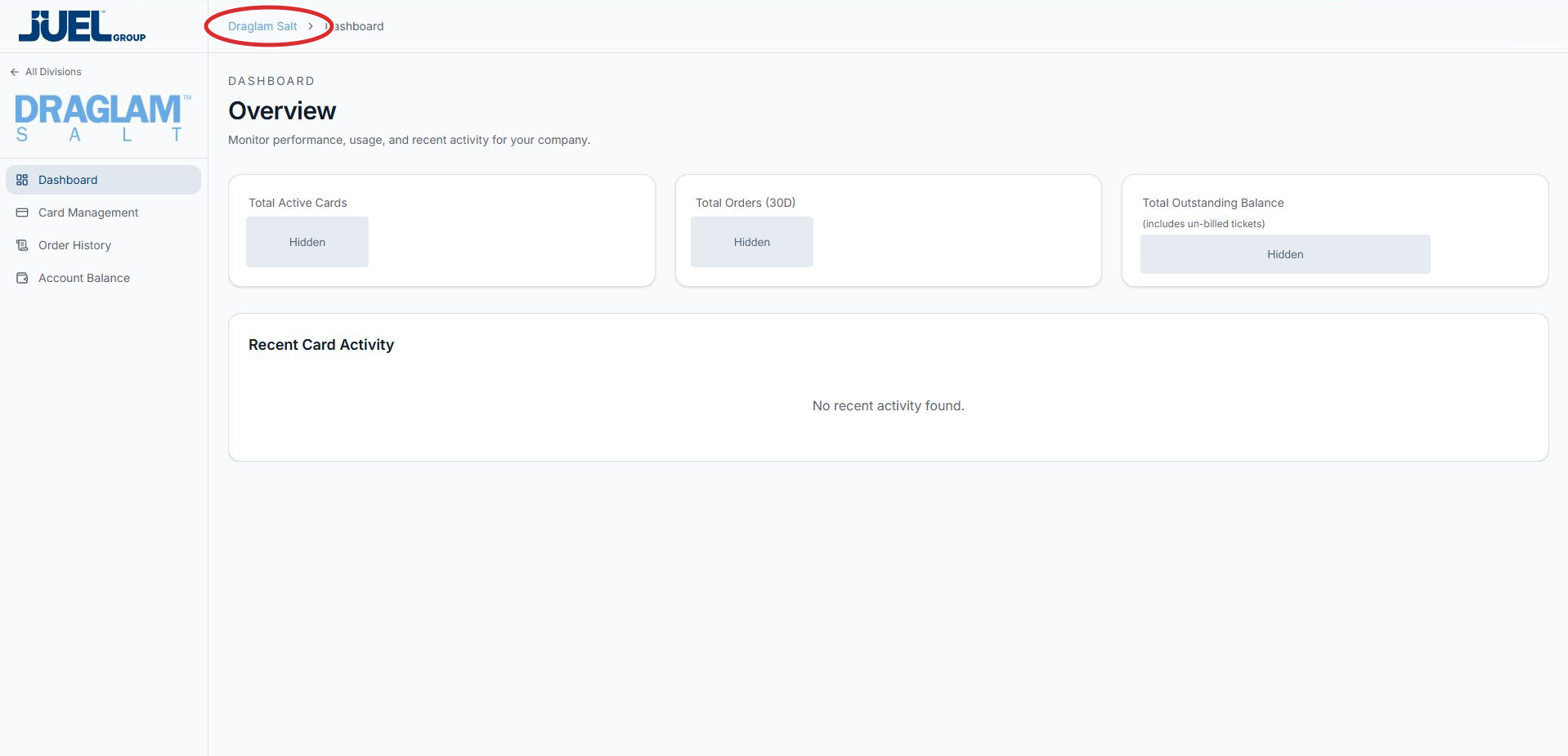
Confirm this is the business you intend to work with.
Full app view · red circles show where to look. Select View larger, then Actual size to zoom in.